This article was written by a human, for humans.
Phantomdrive is now available from the Rootkit Labs shop.
Many places don’t respect privacy laws, in certain situations you may be forced to unencrypt your media, or worse, assumed to be guilty. A Veracrypt hidden volume is useful in the former situation, but not the latter.
This is why I made Phantomdrive.
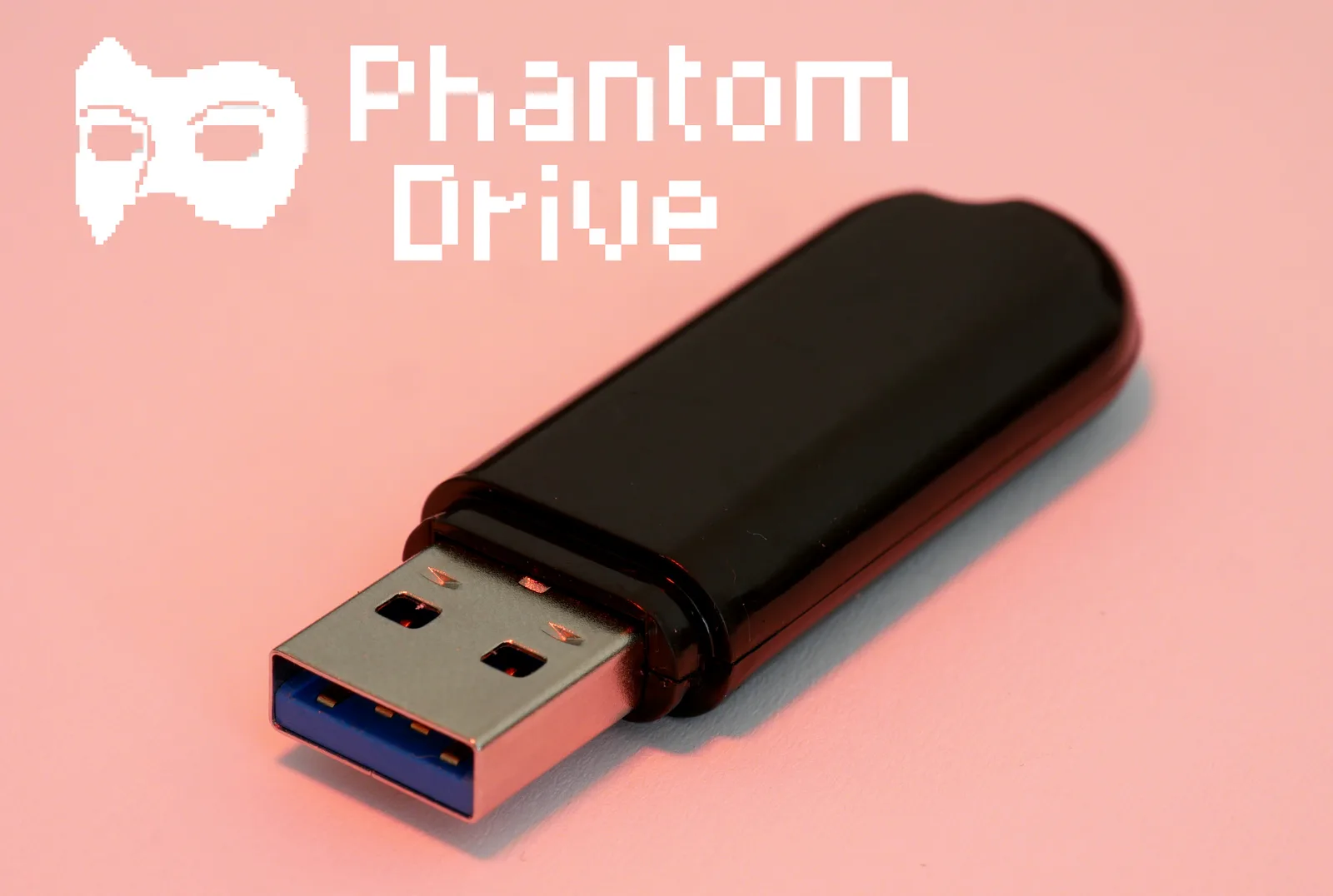
Phantomdrive is a completely open source USB drive that appears as an 8 GB drive when first plugged in. There’s no way for the OS to detect the remainder of the disk. If the user edits a plaintext file on the disk with the contents password:PUTYOURPASSWORDHERE, it unmounts itself and remounts the second hidden section and AES-256 encrypts/decrypts in place.
With Phantomdrive, hopefully you’ll slip past authoritarian government representatives, corrupt police, and anyone else that doesn’t respect basic encryption rights.
The Design
Everything is completely open source: the firmware, hardware and mechanical engineering. The tools I used to design the device are also open source. Lets get into the design!
For this project I used an interesting little chip called the CH569. It’s from the same company who make the USB to Serial chip (CH340) found on virtually every knockoff Arduino.
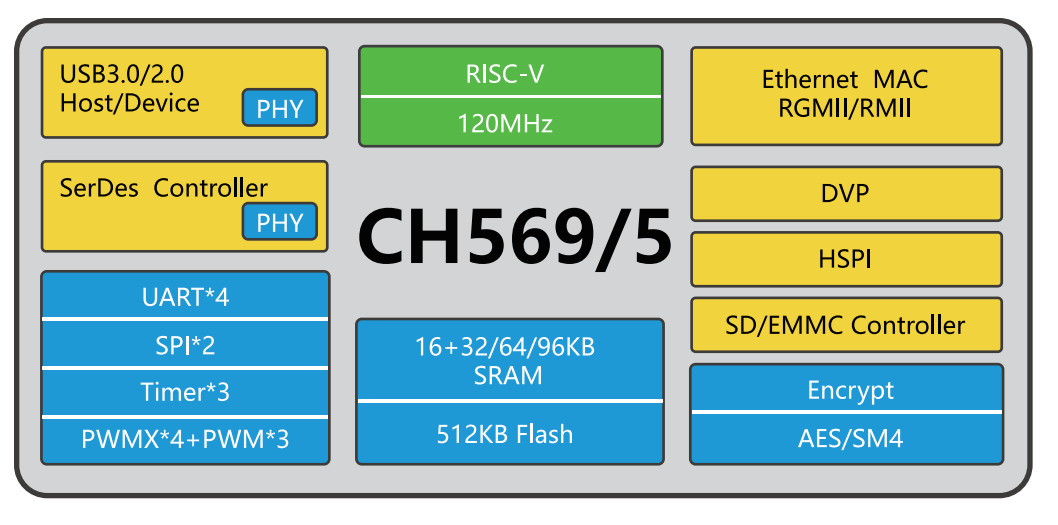
For this project I’m making use of the USB3, SD/eMMC and the AES block. The SM4 encryption block you can see above is apparently standardised for commercial cryptography in China - Wikipedia.
Due to AI demand the cost of eMMC memory is unusually high, so I chose to go with an SD card for memory. Someone will find your SD card if they tear it apart, but of course everything is encrypted. I used epoxy to glue the case together, meaning an attacker must destroy the device if they wish to get inside. If this doesn’t fit your requirements, I suggest you look elsewhere 😊
Once eMMC prices come down, there will be a version that uses it.
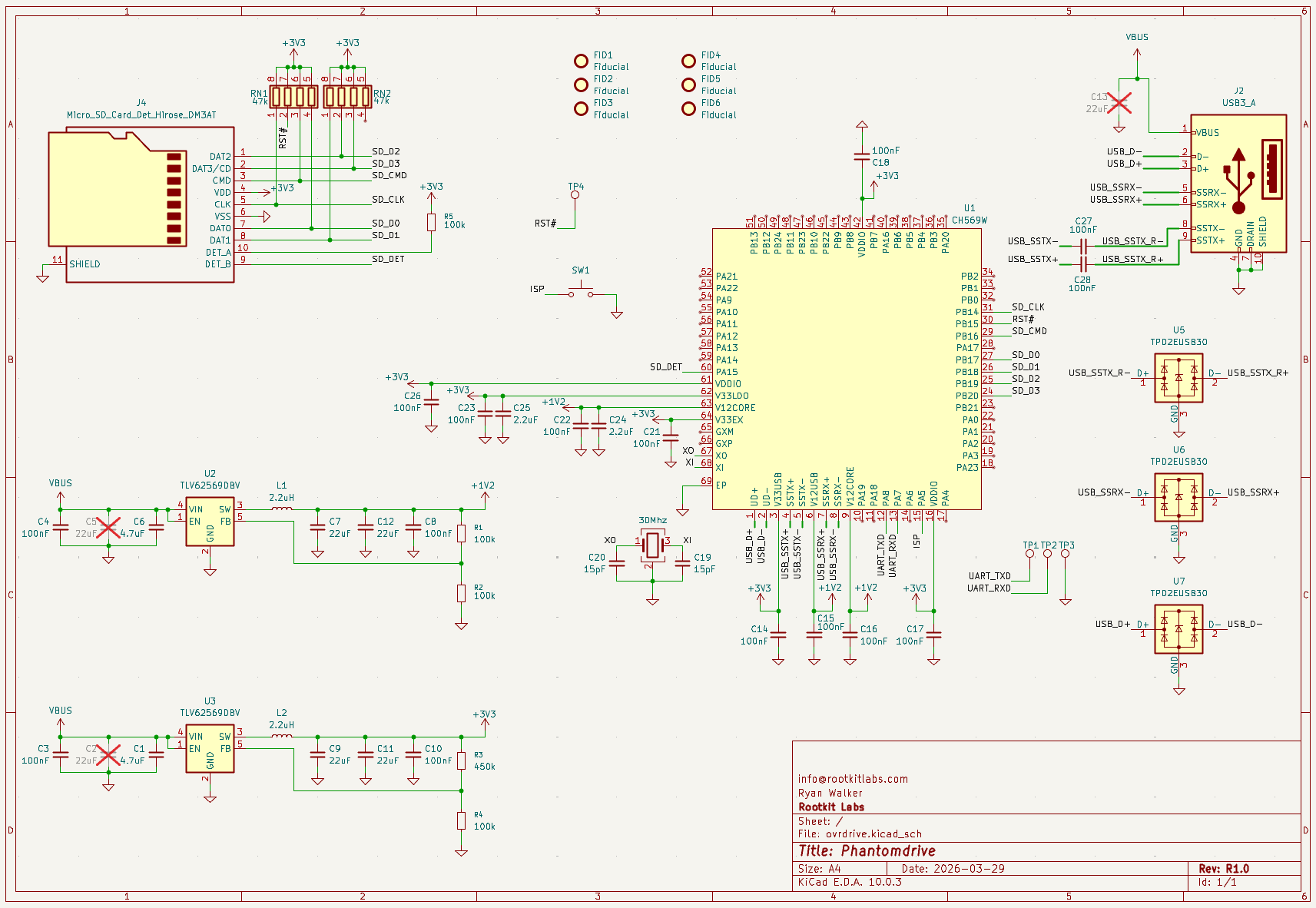
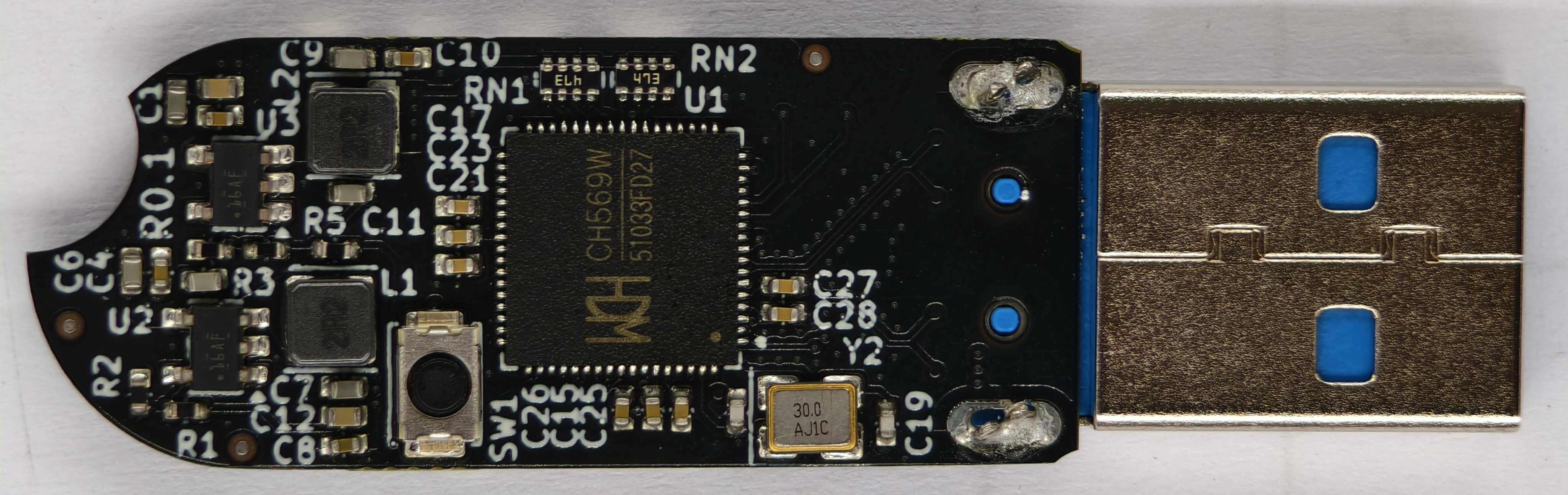
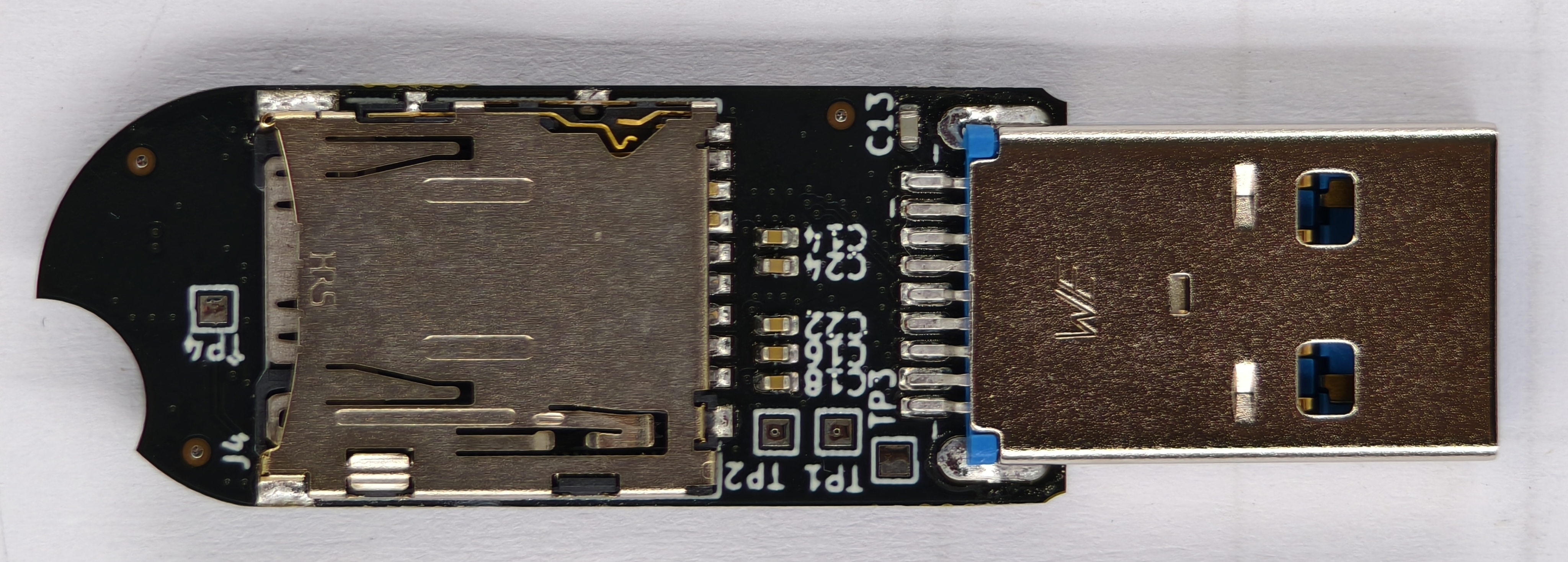
The device is simple, just the CH569, USB port, two buck supplies, a button for firmware update, SD card and some support components. There’s also UART test points, which help with firmware development.
The Cryptography
I wasn’t getting notifications when “people” opened several AI-generated GitHub issues on my repo. They outlined a mixture of: already patched problems, AI hallucinations, and small issues being blown out of proportion. Reddit dogpiled on this pretty quickly, while I was asleep.

This was a big fail on my part, I should have at least noticed people were opening issues. Most of them were non-issues, with the exception of AES-XTS which I’ll talk about below.
As for the security of the device, I’ve verified things with functional tests like this, where you can be sure the encryption is working and verified against OpenSSL’s implementation of AES.
The Key Derivation Function (KDF)
A KDF or “The Key Derivation Function” is a function used to generate a key for use in cryptography. Let’s start with the shittiest way to derive an AES key.
$$ K = Pw || 0x000 $$
We take our password, appending zeros to it until it’s 32 bytes (for AES-256) and that’s our key. With a shitty password, like “password1234”, we can brute force this in a matter of minutes. With a good password this turns into hours, and with a really good password maybe years to decades.
But what if the attacker uses a precomputed table of keys? This means they don’t even have to compute anything. To combat this issue we add a salt.
$$ K = Pw || salt || 0x000 $$
If every device has a unique salt, the attacker needs to compute keys on a per-device basis, so the lookup table problem goes away. Since the salts are different you can’t take your SD card out of one device and put it into another. Here’s how you get your salt…
udevadm info --query=property --name=/dev/sdc | grep ID_SERIAL_SHORT
ID_SERIAL_SHORT=Phantomdrive:34FC1FA7145467F7
So 34FC1FA7145467F7 is this device’s salt, which you need for data recovery if your device ever breaks. FYI: You can change “Phantomdrive” and the USB PID/VID to whatever you want by changing the firmware to increase stealth.
Let’s now assume our attacker has a really powerful machine, has gotten your salt and now will compute their own “table”. To make this a little harder we add 100,000 rounds of SHA-256 to the KDF.
$$ K = sha256(sha256(sha256(Pw || salt || 0x000))) … 100k $$
I chose 100k rounds because the device takes ~3 seconds to unlock, any more and it takes longer. I can’t use algorithms like Argon2, because those are memory-hard. If you have a better way to do this, without making the unlock procedure more than 5 seconds I would love to hear it, but we’re at the compute limit for this device right now.
If you need more security you can increase the number of KDF SHA256 rounds, look for another device, or double encrypt this device using a software solution. It’s also possible to simply turn off encryption and just use software based encryption.
Edit: I’m now using PBKDF2-HMAC-SHA256.
AES Modes
AES is a block cipher, meaning it can encrypt and decrypt a fixed (16-byte) amount of data. There are various different AES modes to turn it into a stream cipher.
AES-ECB
AES-ECB or Electronic Codebook is the naive way to make a stream cipher. You simply take every 16-byte block of plaintext in your stream and encrypt it. Boom! We just made a stream cipher. This is insecure for a few reasons.
- The same plaintext blocks will make the same ciphertext blocks, creating a lack of diffusion.
- Attackers can remove data in ciphertext and when decrypted plaintext will be modified in a predictable way.
So this isn’t a good way.
AES-CTR
AES-CTR or Counter is a way to solve the issues above. It works in a simple way, you AES encrypt your counter, then XOR the output with your cleartext.
uint64_t i = 0;
while(i < len(ciphertext)) {
	ctr = aes_encrypt(i);
	ciphertext[i] = plaintext[i] ^ ctr
	i++;
}
It’s pseudocode but you get the point.
There’s a security risk involving “counter reuse” you should be aware of when using this mode.
- Attacker recovers your ciphertext, puts your device back.
- You write a bunch of fresh new data.
- Attacker recovers your ciphertext again.
- If the attacker can then guess one of the ciphertexts, they can recover the other ciphertext.
With this device I’m getting around 9MB/s write and 20MB/s read with AES-CTR and 6MB/s write and 10MB/s read with AES-XTS. For me this isn’t a big enough security gain over speed to warrant going to AES-XTS, but you might have a completely different case.
AES-XTS
AES-XTS or Tweaked Codebook Mode is the standard for disk encryption. It works by using two keys: \(K_1\) is your data key, and \(K_2\) generates the tweak key.
For each disk sector you need to compute a tweak key from the sector number \(S\).
$$ T_n = AES(K_2,S) $$
Each 16-byte block gets its own tweak, so you end up with \(T_0\), \(T_1\), \(T_2\) … \(T_n\). You then encrypt block by block of your plaintext \(P\) to get your final ciphertext \(C\).
$$ C_n = AES(K_1, (P_n \oplus T_n)) \oplus T_n $$
This solves the counter reuse issues listed above, but is a little bit slower.
The Firmware
I used two projects; thanks to their maintainers.
- A library for the chip (BSP) https://github.com/hydrausb3/wch-ch56x-lib
- An ISP programming library https://github.com/hydrausb3/wch-ch56x-isp
There are a few parts of the firmware you might be interested in…
Password Snooping
The device isn’t actually filesystem aware, it just takes USB WRITE10/READ10 commands and translates these into CMDx commands for the SD card. So to do the unlock wizardry we just look at raw data, in the unlock state it looks like this.
void phantomdrive_snoop_write(uint8_t *buf, uint32_t len)
{
	const char *prefix = "password:";
	const size_t prefix_len = 9;
	uint32_t i;

	for (i = 0; i + prefix_len <= len; i++) {
		if (buf[i] != 'p')
			continue;
		if (memcmp(buf + i, prefix, prefix_len) != 0)
			continue;

		size_t pw_start = i + prefix_len;
		size_t pw_end = pw_start;
		while (pw_end < len && (pw_end - pw_start) < sizeof(pending_pw) &&
		       buf[pw_end] != '\n' && buf[pw_end] != '\r' && buf[pw_end] != '\0')
			pw_end++;

		size_t pw_len = pw_end - pw_start;

		// Copy the password into RAM here
		memcpy(pending_pw, buf + pw_start, pw_len);
		pending_pw_len = pw_len;

		// We then zero out this buffer so the
		// password is never written to the disk
		memset(buf + i, 0, pw_end - i);
		return;
	}
}
The device isn’t filesystem aware, so when locked it calls this function before every write. It’s snooping on all writes, and matching against password:. This means that if you use the insecure portion of the disk for a ton of stuff, you might get an accidental match if your data contains the string password:. Again, if this doesn’t fit your requirements you can change it or look for another device.
The End
Thanks for reading and supporting this project. It’s been fun to work on and has gotten lots of interest in the community. This type of interaction is what motivates me to continue working on stuff like this.
Phantomdrive is now available from the Rootkit Labs shop.

 Our Shop
 Email
Email Youtube
 GitHub
 Instagram
 Discord
 Twitter
 RSS Feed