This article was written entirely by a human, for humans.
I tend to get excited about certain chips. This time, it was a microprocessor: The Rockchip RV1103 is a single-core 1.1 GHz ARM Cortex-A7 SoC (system on chip) with 64 MB of DDR2 RAM and a MIPI CSI-2 bus shoved into a QFN-88 package. With this chip, I built a cheap, simple stereo vision board with built-in compute and Linux support.
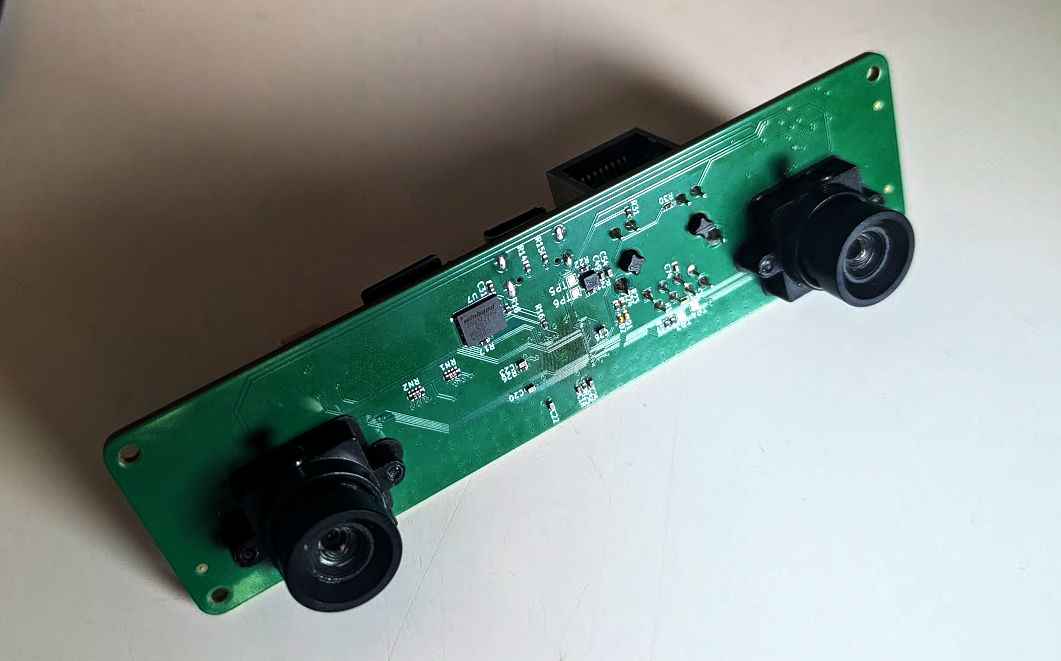
I envision integrating this board into robotics projects, like an Arduino needing obstacle avoidance or navigation. Once powered up, the board transmits data over serial. Or you can use it on its own, with everything you’d expect from a Linux board.
The video below shows image capture and depth processing on the hardware:
This blog post outlines the hardware, firmware, and software details!
System Overview
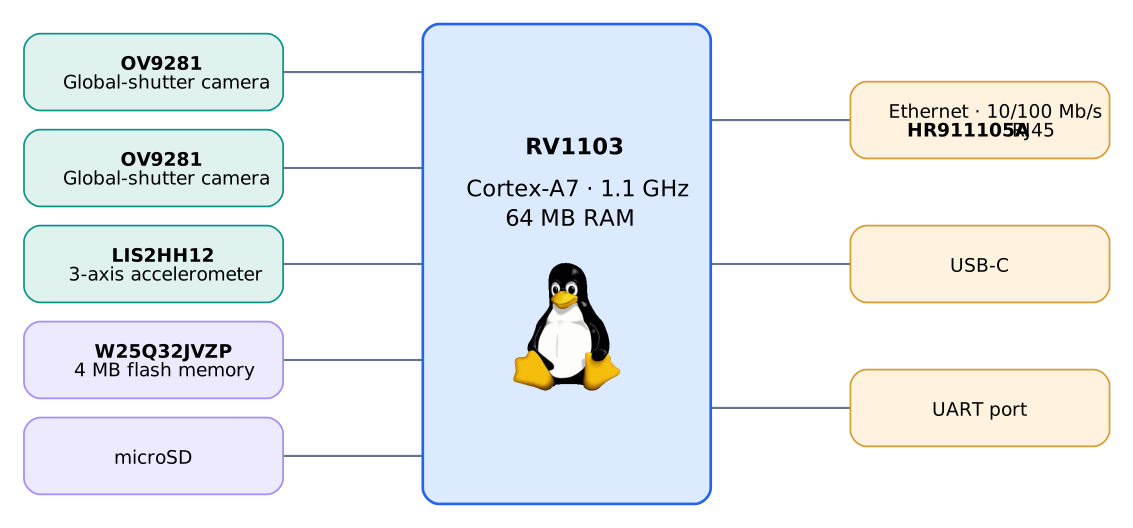
The PCB
A cheap four-layer board worked for this project.
Top Layer: Controlled-impedance traces: USB, MIPI, and Ethernet. With some Signal/Power. Inner L1: Solid ground. Inner L2: Signal/Power Bottom Layer: Signal/Power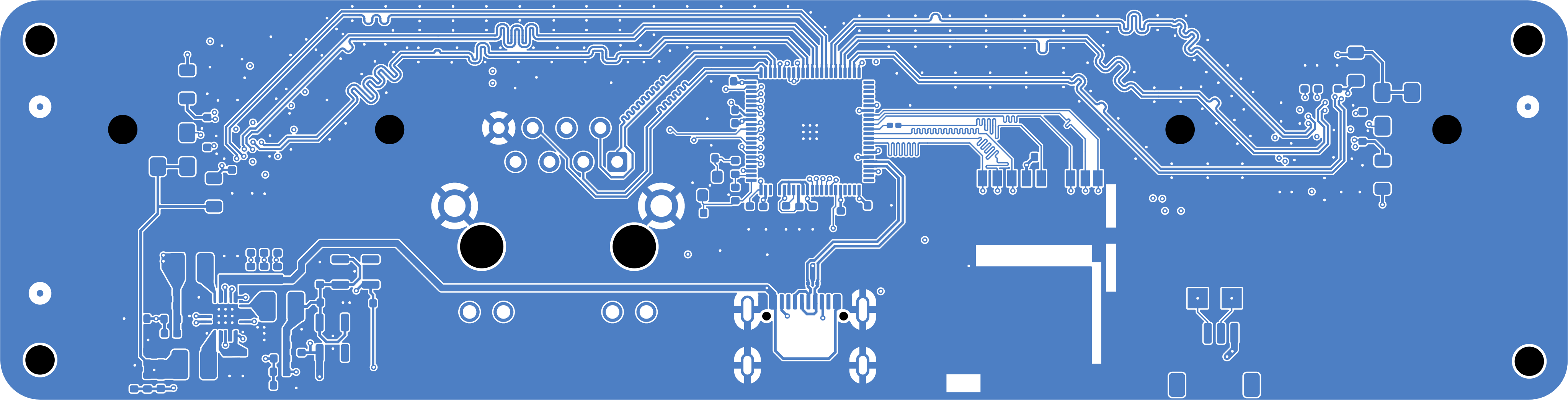
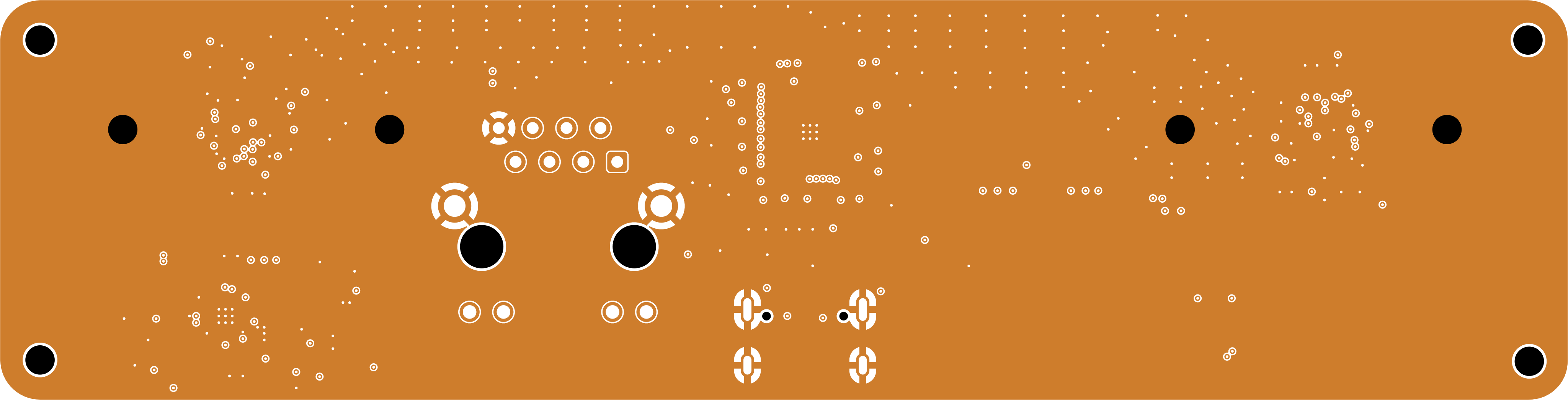
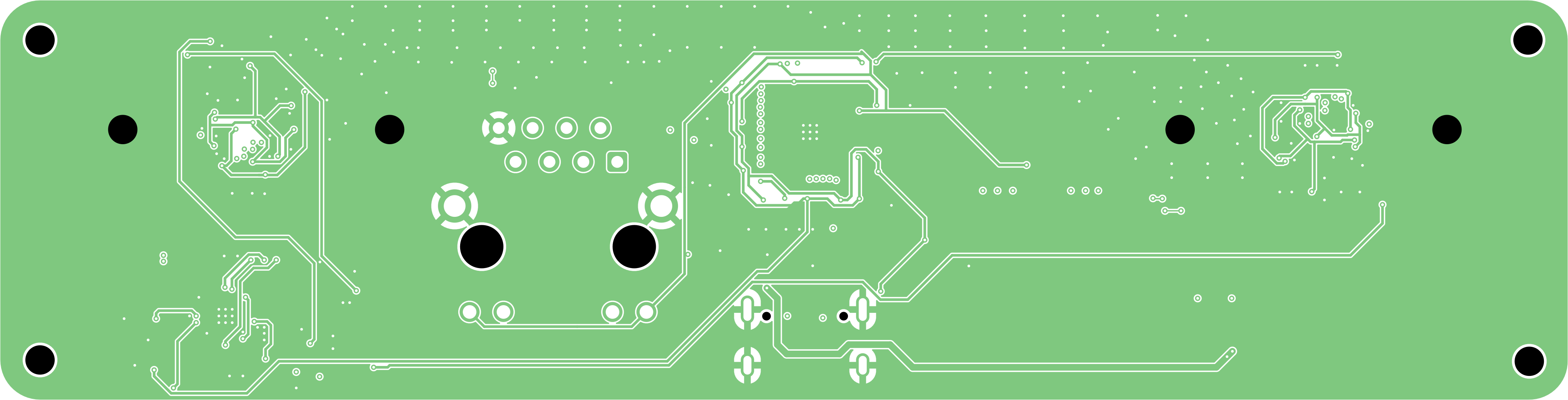
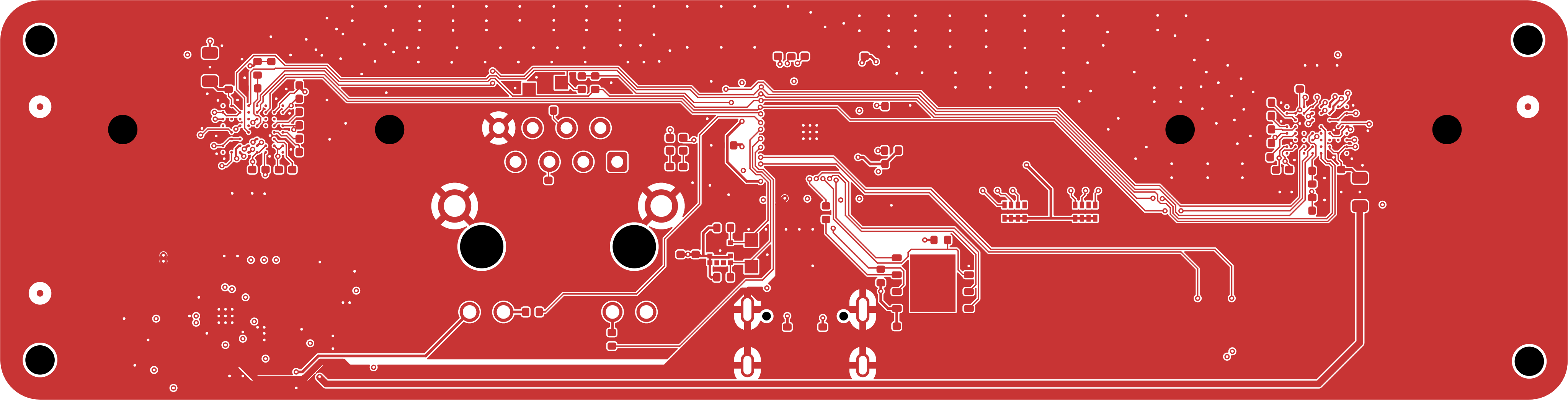
I got the board mostly correct on the first shot, but there were a few issues:
- I requested the wrong SoC. That was a fun replacement.
- The holes for the lens mounts were drilled at 1.8 mm instead of 2.2 mm.
- 1k resistors were too small to make the LEDs light up nicely.
- The 0.9 V trace was too thin, although it seemed to work fine.
The Kernel, Bootloader, and OS
I needed a bootable OS, with drivers, a bootloader and a kernel. For this I used my favorite Linux build system: Buildroot. Buildroot combines these elements into sdcard.img, which you flash to an SD card, pop into the board, and boot.
Sadly, not everything needed for this project is available upstream. The Rockchip MIPI drivers, hardware accelerators, and some other key components all came from the vendor BSP. Buildroot has support for out-of-tree kernels.
For this chip, there are a few different boot stages. Most ARM MPUs look something like this:
- (Bootloader) BootROM: Gets TPL and runs it. This is in ROM and uses SRAM (smaller, non-main RAM).
- (Bootloader) TPL (“Tertiary Program Loader”): Sets up the DRAM controller. This is a binary from Rockchip.
- (Bootloader) SPL (“Secondary Program Loader”): Loads U-Boot, bundled with the U-Boot project.
- (Bootloader) U-Boot: This is our main bootloader; it loads the kernel. It has other fancy features.
- (Kernel): Linux
- (OS) Init System: Starts services.
After some simple config in Buildroot, I had access to a shell over serial. I eventually moved to SSH, with the USB-C port as an Ethernet adapter.
The Software Stack
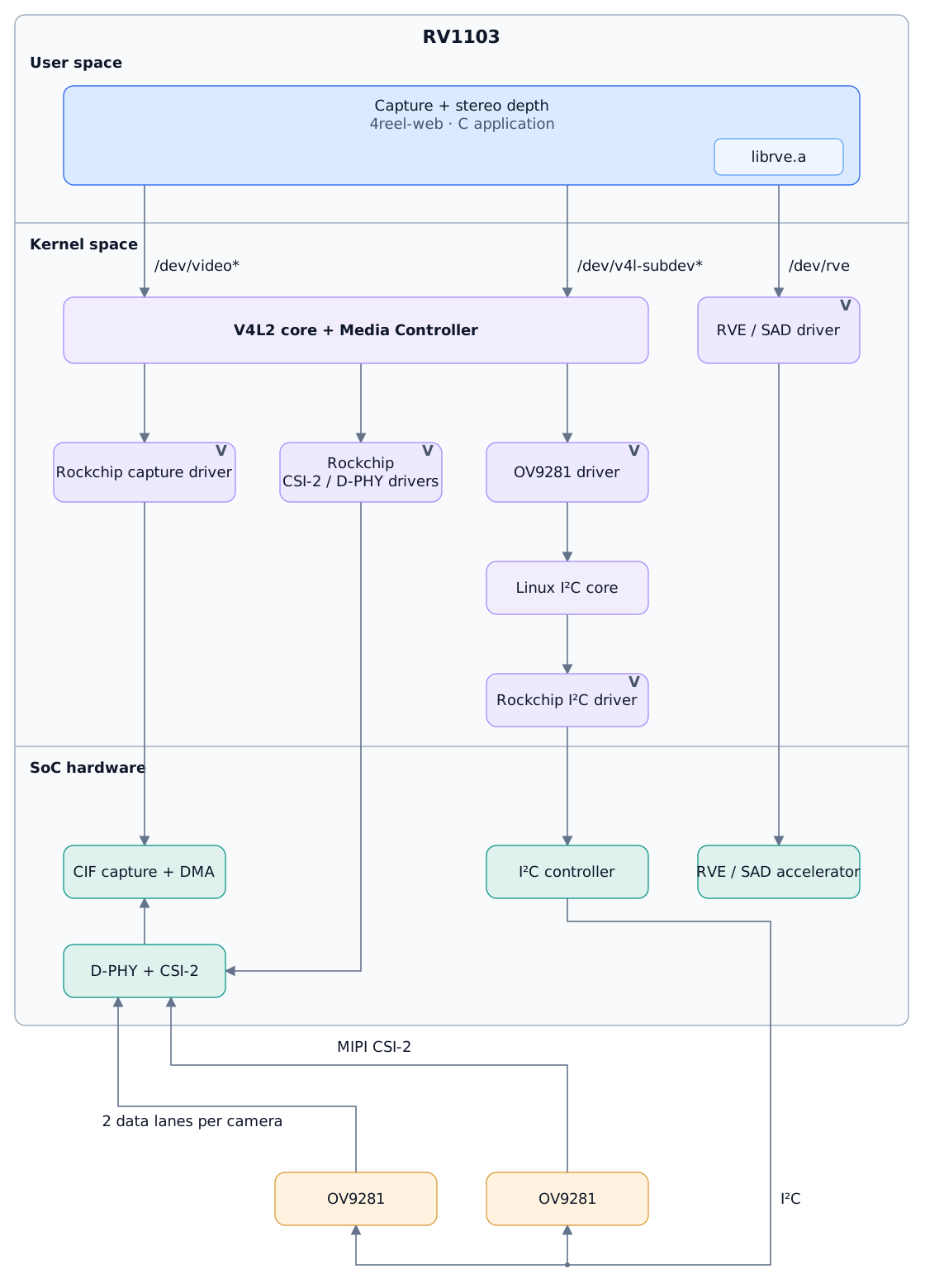
The software MVP needed to communicate with the kernel to get image data, control the camera, and use the hardware accelerators. Luckily, everything in the kernel space marked above was assembled for us with Buildroot. We just needed to make the blue part, but I’ll explain the rest briefly.
Kernel Space
You may notice drivers get more abstract at the top of the diagram, while lower down they’re hardware specific. This means a user application can talk to a node created by V4L2 and doesn’t need to care about specific camera commands.
There are SoC-specific drivers for the SoC peripherals (like I2C, CSI, etc.). This is so the camera driver (OV9281 in our case) doesn’t need to know which SoC it’s running on.
This is all pretty standard Linux device driver stuff, so I won’t go into any more details beyond this.
User Space
The data eventually flows up to Video4Linux2, which exposes our cameras in various nodes /dev/videoX. Each camera shows 11 video nodes:
- video0: Normal video capture
- video1-3: Other stream IDs
- video4-7: Scalers
- video8-10: Auxiliary tools
Camera control is exposed through /dev/v4l-subdevX. We can use these nodes to set exposure and control various camera features.
The “Rockchip Video Engine” is exposed through /dev/rve. We use the proprietary librve.a to talk with the engine and schedule various hardware video acceleration tasks. I’ll get more into this later.
The userspace app…
- Configures the cameras from
/dev/v4l-subdevX - Takes the image data from
/dev/videoX - Feeds it into the
/dev/rvenode
The Rockchip Video Engine contains a SAD engine (sum of absolute differences). This is a hardware accelerator block that runs on the Rockchip SoC itself.
SAD is the core of how we do stereoscopic vision. A grayscale image can be represented as a matrix, with each element being a number from 0 to 255. Let’s say we have 2x images that are 2 × 2 px each. We can calculate the SAD:
Image 1  Image 2  Absolute differences
[10  20] [10  20] [0  0]
[30  40] [30  40] [0  0]

SAD = 0 + 0 + 0 + 0 = 0
We can say the two images are the same.
Now instead of comparing these tiny images, we have two big images and break them up into a bunch of smaller images, called patches, and do this everywhere.
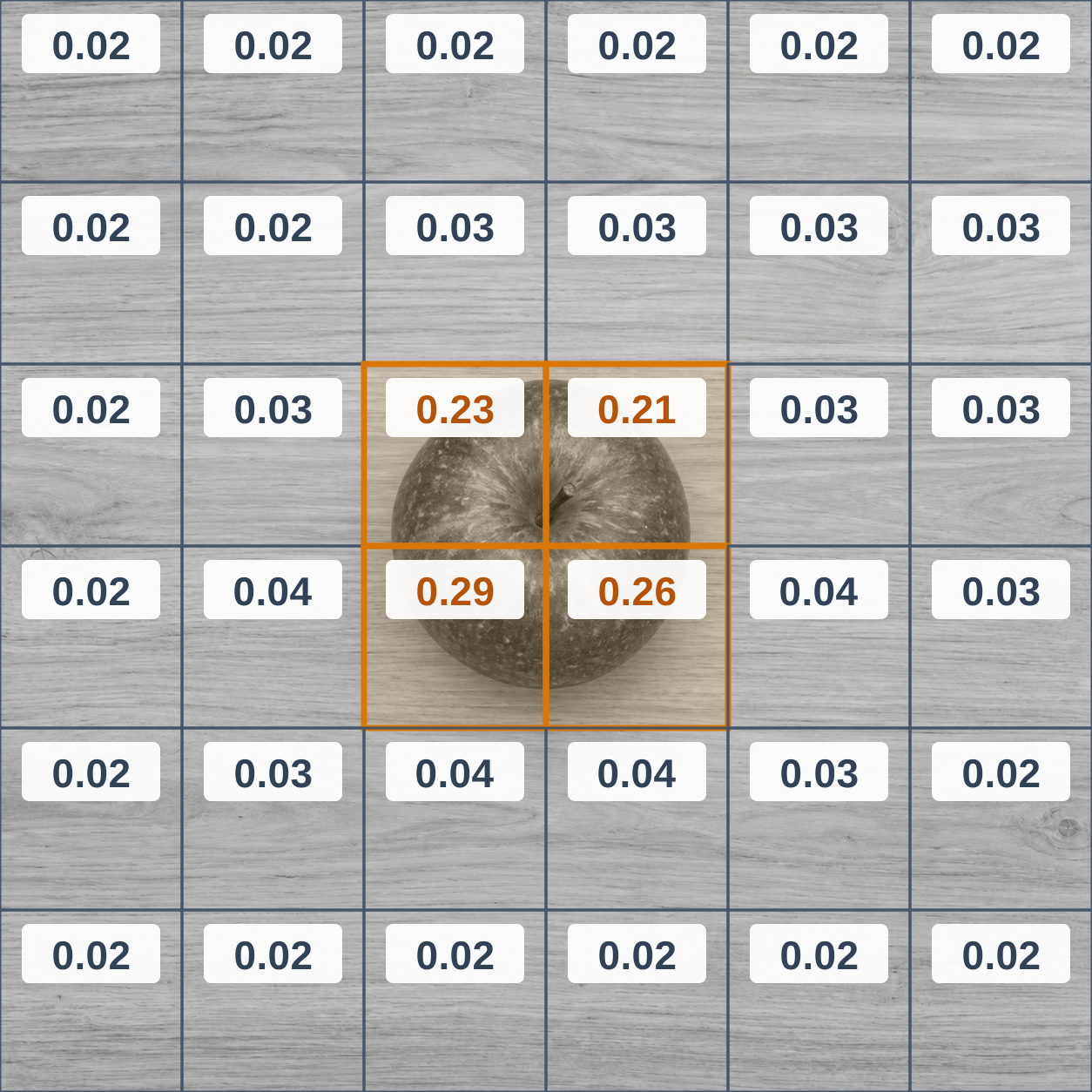
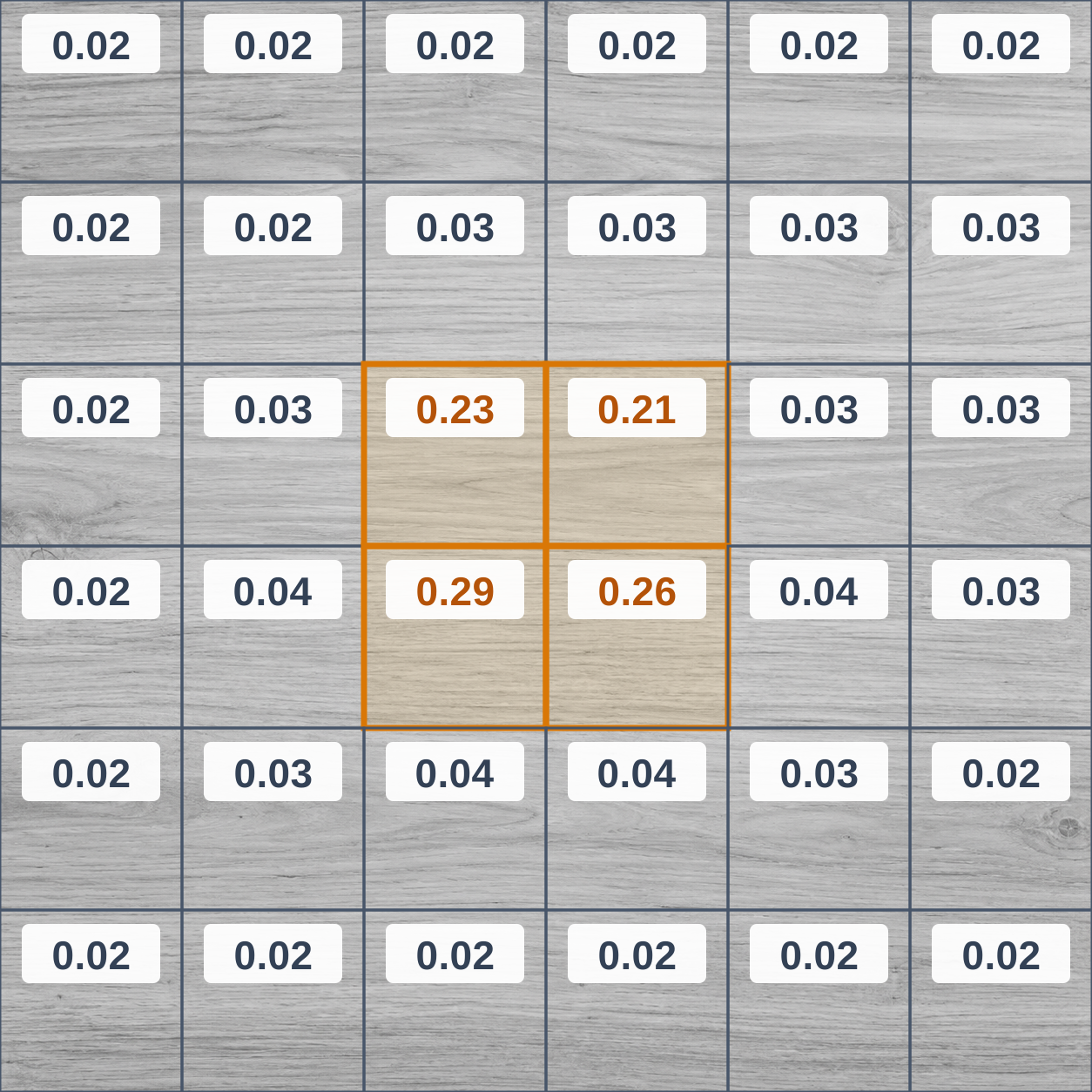
We now have an algorithm to determine how similar patches of the image are, so with this information we can certainly say that this section of this image is different.
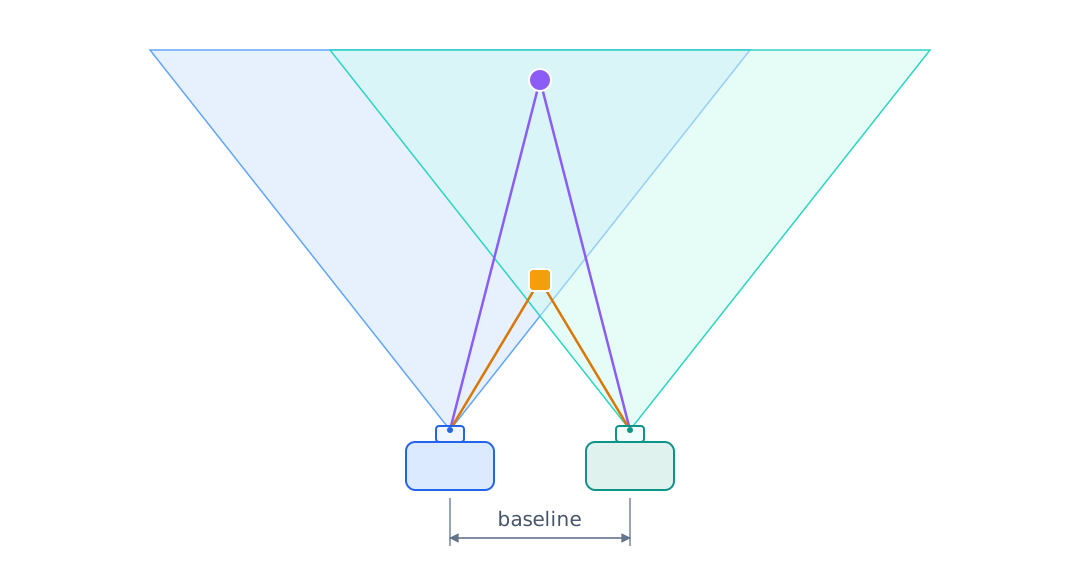
SAD-based stereo block matching uses the same principle, but compares a vertical column of patches after a horizontal shift. Our two images come from two separate cameras, separated horizontally by a distance we call the baseline. We keep one image fixed, shift the other, and try to find matching blocks; when the blocks match, this is a depth value. If they match at a very early shift, this is a far-away value, while a later shift is a closer image.
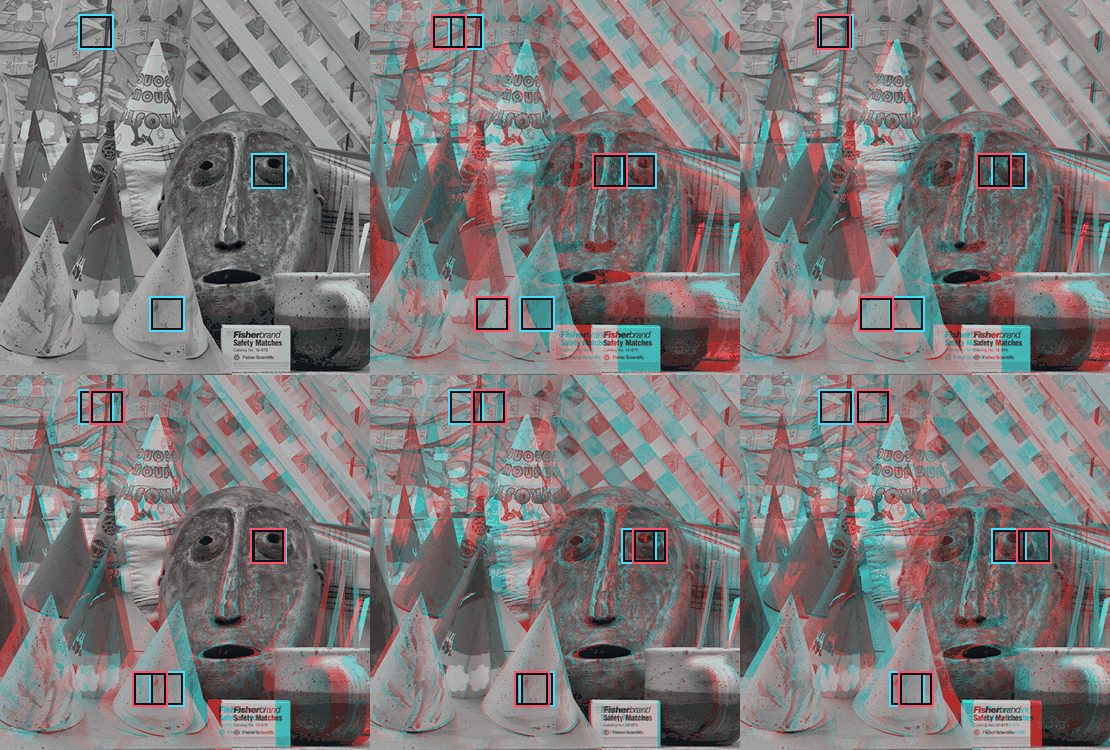
Stereo images: Middlebury Cones.
You can see that images farther away require less shifting to get a match, and once you get a match, the shifting required is your depth! The boxes show your patch size, and the green box is showing a SAD match. This is illustrated in this GIF above with three separate depths.
What’s Next?
I would like to sell a few of these devices and get some feedback.
If you’re interested in this device, please sign up for the email notification here. If I get more than 20 signups, I’ll order another 10 boards with all the fixes and list these for sale. Please note this isn’t a pre-order, but only sign up if you are serious about supporting the project :)
If I get enough interest, the next stage of the project will be software cleanups, image optimisations, implementing SLAM, and YOLO.
Thanks for reading!
 Our Shop
 Email
Email Youtube
 GitHub
 Instagram
 Discord
 Twitter
 RSS Feed